Keep numbers consistent
Reports read from the same property data as the working project.
Create investment, scope, budget, progress, and outcome reports from the same records your team uses every day, and on Solo+, message contractors, lenders, and investors from a private portal inbox.
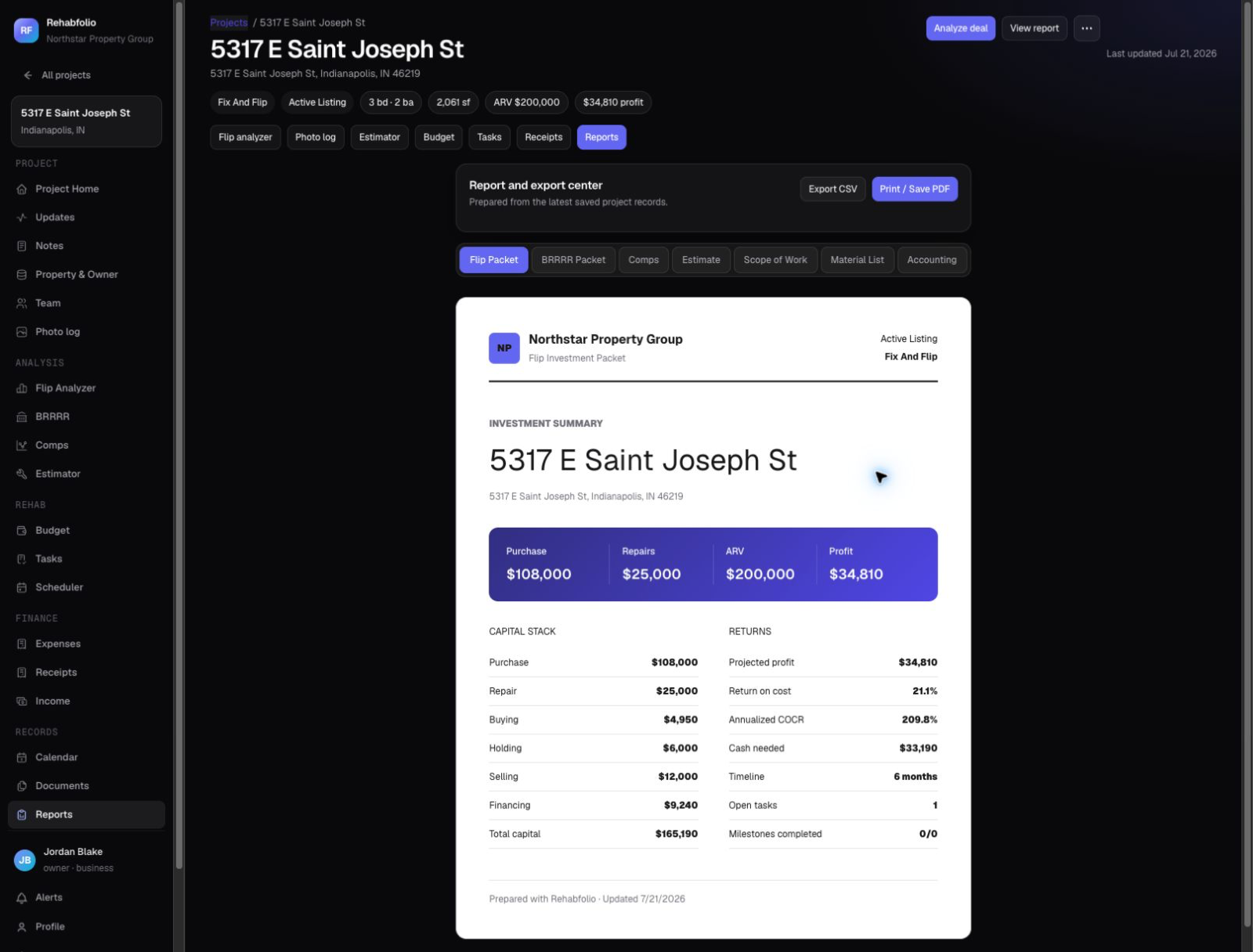
Reports read from the same property data as the working project.
Use roles and selected share links instead of sending full-edit spreadsheets.
Let partners see approved progress without asking for another manual update.
Keep files, decisions, updates, and activity associated with the property.
Decide whether the recipient is a teammate, contractor, lender, partner, or viewer.
Confirm the analysis, scope, budget, schedule, photos, and narrative are current.
Create a report or selected update that fits the recipient's decision.
Use a workspace role, PDF, calendar feed, or public update link as appropriate.
Change the property record and produce the next report without rebuilding it elsewhere.
Yes. Property reports can combine analysis, estimates, project information, budgets, and supporting details for review.
No. Workspace roles and public update options let you separate editing access from viewing selected information.
Calendar feeds and project views help keep dates visible without manually copying every milestone.
Workspace company details can support report-ready narratives and branded project information.
Workspace activity records help owners and administrators review important changes and AI requests.
On Solo and higher, invite contractors, lenders, and investors to a private portal. They message you from the project, and your reply is saved in the portal inbox and emailed to them.
No. Free includes internal reports and public update links. Portal messaging with outside partners starts on Solo.
Free accounts include the core workspace and monthly AI research. No card required.
Create free account