Rehab project management software: how to track a house flip from scope to sale
Property rehab software, house rehab software, real estate rehab software, and fix and flip software all promise the same thing: one place to run the work. This guide shows beginner and intermediate investors what that system actually has to track, when a spreadsheet is still the right tool, how to evaluate a product without a feature tour, and how to run the job week to week.

Written and reviewed by the Rehabfolio editorial team. Published and last reviewed September 22, 2026.
Who this guide is for. This guide is for United States residential investors who are choosing how to run a one-to-four-unit rehab. You might be on your first flip, or you might already have a general contractor and a hard-money note and still feel the job living in texts. The guide starts after you have a property you intend to renovate. It ends when the work is closed out and the same record can support a listing or a rental hold. If the house is still an opportunity and not a project, use the four-stage pipeline so leads do not sit on the construction board. If you are writing the work before anyone bids, start with the scope of work guide. If you are pricing that scope, use the repair budget guide.
The Rehabfolio editorial team builds and reviews product workflows that connect a property record to scope, budget, schedule, files, photos, and tasks. That is first-hand product experience with how a rehab file is organized. It does not make the team a licensed contractor, broker, lender, inspector, appraiser, attorney, accountant, or safety consultant. We do not invent licenses, credentials, or customer results.
Contract forms, license rules, draw rules, lead-paint duties, and lien law differ by state, city, lender, and the agreement you sign. This page is educational. It is not legal, construction, lending, tax, or investment advice. Use the signed contract and qualified local professionals for the house in front of you.
Tip: Read this buyer guide beside the project schedule guide, the change order guide, the draw inspection guide, the holding cost guide, and the project management overview. The commercial page shows what a workspace can hold. This article shows how to decide what any system, including a spreadsheet, must be able to prove.
1. Define what rehab project management software is for
Beginners shop for house rehab software the way they shop for a new app: a board of tasks, a green progress bar, and a promise that the chaos will sort itself. That shopping list misses the job. A rehab is a set of promises with dates and dollars attached. Someone promised a scope. Someone promised a price. Someone promised a finish week. A lender or a checking account promised to fund parts of that work only after evidence exists. Rehab project management software is useful when it keeps those promises attached to one property, and when it shows the moment a promise changes.
It is not a replacement for underwriting. The purchase price, the after-repair value, and the walk-away profit should already exist before the first demo day. It is not a contractor. It does not pull a permit, pass an inspection, or stand behind a warranty. It is not a lender. The Consumer Financial Protection Bureau describes a construction loan as a usually short-term loan that funds building or rehabilitating a home, with money typically released in a series of advances as the work progresses. Your software can prepare the story of those advances. The note and the lender still control the release.
Think in four evidence types while you choose a system. Observed facts are the signed scope, the permit card, the dated photo, the invoice, and the cleared payment. Calculations turn those facts into remaining budget, percent complete, and extra holding days. Assumptions are the finish date you hope for and the allowance you have not selected yet. Opinions are sentences like "the job feels on track." A good system stores facts and calculations where you can see them. It labels assumptions. It does not promote an opinion into a budget line.
Search phrases such as property rehab software, real estate rehab software, and fix and flip software often land on pages that list buttons. Use those phrases as a reminder of the decision in front of you. You are choosing an operating record for a house, not a slogan. If the product cannot show scope, money, time, draws, documents, and vendors on the same property, the label on the homepage does not matter.
2. Track six records: scope, budget, schedule, draws, documents, vendors
Every serious rehab file, whether it lives in a binder or in software, has the same six piles. If one pile is missing, the others lie. A budget without a scope hides what was never priced. A schedule without vendors hides who is supposed to show up. A draw folder without documents hides whether the person being paid is insured to be there.

- Scope. The scope is the written list of rooms, trades, quantities, specs, inclusions, and exclusions. Freeze it before work starts. The bid-ready scope guide shows how to write that baseline. Software should point every later invoice and photo at a scope line. If the line does not exist, the work is a change, not a surprise you absorb in silence.
- Budget. The budget is the priced scope plus allowances, permits, and a contingency that stays separate. Build it with the repair budget guide and size the reserve with the contingency guide. House rehab software should show baseline, committed, spent, and forecast as different numbers. A single "repairs" cell cannot do that.
- Schedule. The schedule is the order of work, the dependencies, and the buffer you actually own. A project schedule fails when tile is ordered after the setter is booked, or when a rough inspection is treated as optional. The system should name an owner and a date for each task that can move the finish.
- Draws. Draws are progress payments tied to evidence. The draw inspection guide and the contractor payment schedule cover the packet. HUD's public 203(k) description is a useful teaching picture even when you are not using that FHA program: a work write-up, permits before work, an inspection, a signed draw release, then payment. Your hard-money lender may use a different form. The file still needs the same idea. Do not pay from memory.
- Documents. Store the contract, change orders, permits, inspection results, insurance certificates, lien waivers, warranties, and lead-paint records with the property. For homes built before 1978, the EPA Lead Renovation, Repair and Painting program generally requires paid work that disturbs paint to be done by certified firms using trained workers, with some states and tribes running their own programs. The project file should hold the certificate you were given. Software does not create the certification.
- Vendors. A vendor record is the business name, trade, license note, insurance date, and the scope lines that vendor owns. The Federal Trade Commission's home improvement guidance tells consumers to consider licensed and insured contractors, to confirm the license with the state or county, and to ask for proof of insurance. Put that proof on the property, not in a downloads folder named "misc."
Occupational Safety and Health Administration construction pages describe renovation and repair as high-hazard work, including falls, struck-by incidents, electrical exposure, silica, and asbestos. Your project system is not a safety program, and it does not replace the employer's duties on site. It should still make it obvious who was scheduled to be in the house, and whether insurance and known hazard notes were filed before demo. A photo of an open stair with no owner is not a safety plan. It is a clue that the file is thin.
AI tools can help you sort a walkthrough into draft tasks or group receipts by vendor. Use them as a clerk. Require a person to match each draft line to a scope item you already approved. If the model invents a room, a quantity, or a finish date, reject that line. Provider-neutral practice is simple: the source photo or note stays visible, the assumption is labeled, and nothing posts to the budget until you accept it.
3. Compare a spreadsheet with a dedicated tool
A spreadsheet is not the enemy. It is honest math you can open. Many first flips are run well from one workbook with tabs for scope, budget, schedule, and a log of changes. The workbook fails for a specific reason, not because it is old. It fails when the current truth depends on a person remembering which tab is live, or when the evidence cannot live in a cell.

Stay with a spreadsheet when all of these are true. There is one property. There is one person updating the file. The scope is short enough to print. Photos can live in one album with room names and dates. No lender is asking for a draw package. You update the workbook on a set day every week, and you do not keep a second secret copy. In that case, buying software will not create discipline you do not already practice.
Move toward real estate rehab software when any of these are true. Two jobs share one contractor and one of them is always "the other spreadsheet." A partner needs to see the file without asking you to export it. Draw photos, lien waivers, and invoices have to be matched to a line. The finish date slipped and nobody recalculated holding costs. Or you cannot tell a change order from an allowance because both were typed over the original number.
The tradeoff is not features versus purity. A spreadsheet is fast to start and easy to outgrow without noticing. A tool is slower to set up and easier to trust if it refuses to mix two properties. Neither one fixes a missing scope. If you adopt fix and flip software and then keep the real budget in a side file, you have two systems and no source of truth. Pick one place where the approved number lives, and make every other view a copy.
4. Use an evaluation checklist before you buy
Judge a product by the questions you will ask on a Wednesday when something went wrong. Ignore badge counts and empty sample projects. Bring one real house, even if the numbers are from a closed deal, and try to file it. If you cannot finish the list below in a sitting, the tool is not ready for a live rehab.
- Can you create one property and keep a second property from borrowing its tasks, vendors, or budget lines?
- Can you enter a scope line with a quantity, a spec, and an exclusion, then price that same line without retyping it into a different product?
- Can you see baseline, committed, invoiced, and paid as separate figures, with contingency parked outside the trade allowances?
- Can you put a date and an owner on a task, and show that one task waits on another, such as inspection before insulation?
- Can you attach a photo, a permit, and an invoice to the property and find them by room or by draw, not only by upload date?
- Can you record a vendor with an insurance expiration and see that date before you schedule the trade?
- Can you log a change with cost, time, and a yes or no, without erasing the original scope line?
- Can a second person view the record without becoming an editor, and can you export the file if you leave?
- Does any AI feature show the note or photo it used, and can you reject the draft without it writing into the budget?
- Can you tell what the finish date does to holding cost, or will you still compute that in your head?
Score the list in writing. A tool that fails items one through four is a task list, not property rehab software. A tool that passes the list and then hides your data on the way out is a risk of a different kind. Ask how export works before you migrate a live job. Also ask what the product will not do. A straight answer that it will not release a draw, interpret a contract, or certify a renovator is a better sign than a promise that the platform "handles compliance."
Price the seat against the cost of one missed change, not against a monthly coffee. If a two-week slip costs more in interest, taxes, insurance, and utilities than a year of software, the subscription is not the expensive part. If you flip one small house a year and you already keep a clean binder, do not buy a system to feel professional. Buy it when the binder no longer answers the Wednesday question.
5. Run the project week to week
Software does not create a cadence. You do. The investors who stay out of trouble use the same short loop whether the record is a workbook or a workspace. The loop is small enough to finish. It is also strict enough that a casual text cannot count as an update.
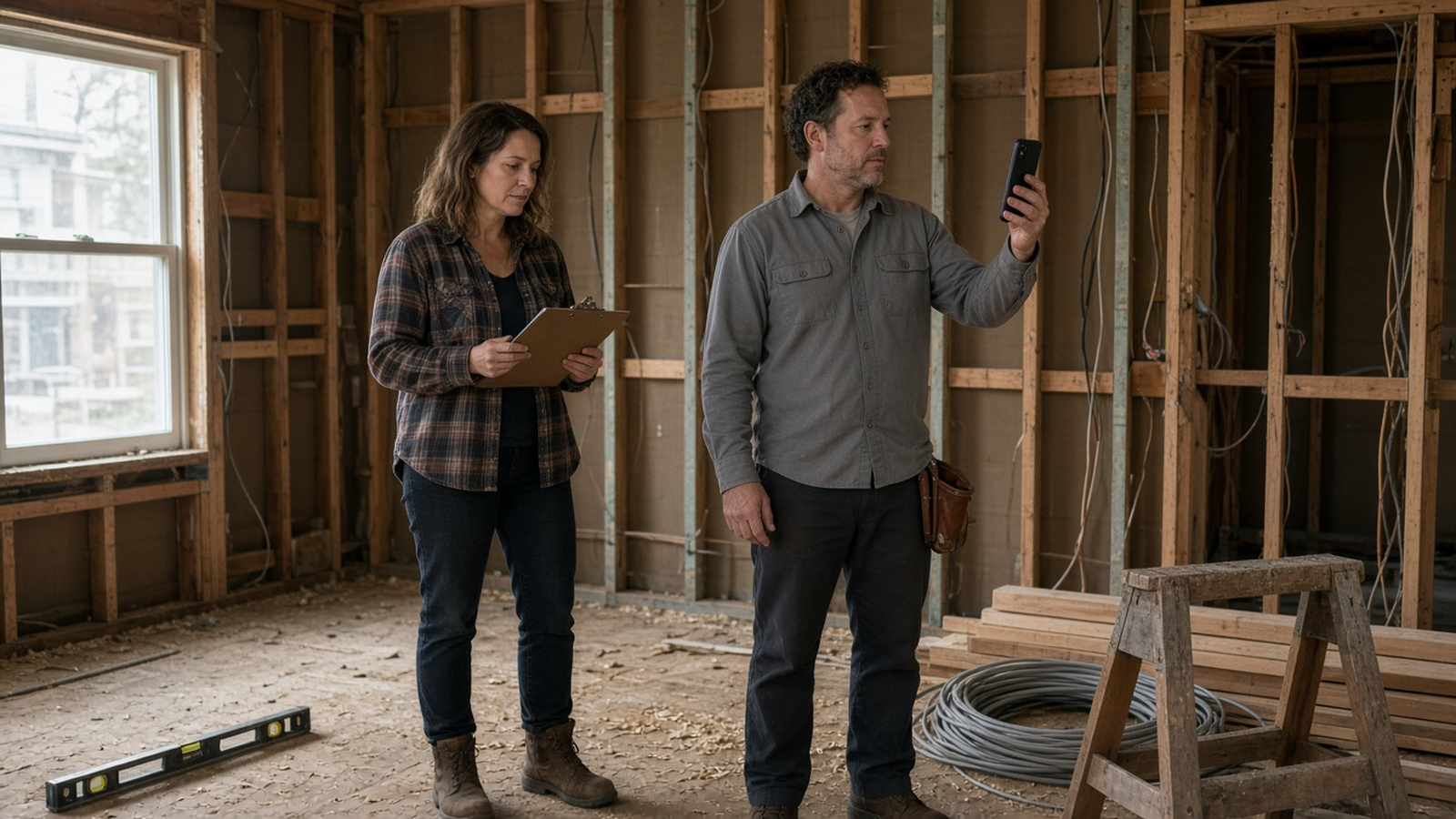
- Monday, open the exceptions. List overdue tasks, materials that should have arrived, inspections in the next ten days, and any invoice that is not matched to a scope line. If the list is empty, say so in the log. Silence is not the same as a clean week.
- Midweek, walk the house. Photograph the work that is about to be covered, and name the room in the file name or the caption. Compare what you see with the schedule, not with your mood. The quality control plan is the standard for what "done" means before the next trade starts.
- Before any payment, match three things. The invoice, the scope line or the approved change, and the photo or inspection that shows the work. If one of the three is missing, wait. The Federal Trade Commission specifically warns against paying the full project up front and against making the final payment before the work is done and you are satisfied. State law may also cap deposits. Your file should make that pause normal.
- Friday, update the forecast. Write the current finish date, the remaining contingency, and the holding-cost days you added or removed. If the date moved, the profit target moved. Do not leave that as a feeling.
- When the field changes the work, stop and write. A change order is a packet with scope, cost, and time, approved before the extra work continues. The change order guide is the rule. A verbal "go ahead" in the hallway is how contingency disappears.
Keep the acquisition pipeline off this loop. Leads belong in the four-stage pipeline until the contract is real and the rehab record should exist. Mixing "maybe" houses with open walls makes every dashboard look busy and none of them look true.
A model can draft the Monday exception list from tasks and dates you already stored. You still walk the house. You still decide whether a covered-up photo is good enough. You still sign the change. Treat AI as a way to assemble the pile, not as a superintendent.
6. Avoid the pitfalls that quietly erase profit
- Buying the tool before the scope exists. An empty project with a pretty board feels like progress. It is a blank page. Write the scope, then choose where it lives.
- Letting the app become the contract. A task titled "redo bath" is not a specification. The signed scope and the written change control the money. The screen is a map.
- One sheet for two houses. Shared contractors make this tempting. It also makes it easy to pay the ranch invoice from the colonial budget. One property, one record.
- Photos trapped in a camera roll. Undated images with no room name cannot support a draw or a later dispute. File them the day you shoot them.
- Overwriting the original budget. If the forecast replaces the baseline, you cannot see drift. Keep the first approved number. Add changes beside it.
- Ignoring the calendar's cost. A slipped inspection is not only a red dot on a Gantt chart. It is interest, tax, insurance, utilities, and sometimes a loan extension. Price the day.
- Trusting a generated scope. If an AI draft adds a room you did not walk, or drops an exclusion the contractor relied on, the bid you collect will be fiction. Reject the draft.
- Closing the file at the pretty photo. Punch, permits, warranties, and final cost belong in the same record that started the job. The punch list and closeout guide and the pre-listing checklist are the bridge to a sale. Offer comparison on the way out lives in how to compare house flip offers.
None of these pitfalls require a villain. They require an ordinary week in which the fastest path is a text. The system you choose should make the slower path, the written one, easier than hunting through a thread.
7. Work three named investor scenarios
These three investors are fictional teaching composites. Names, addresses, prices, and outcomes are illustrations, not testimonials and not performance claims. They show how the same six records behave in different houses.
Scenario A: Elena Brooks and a first ranch flip. Elena is buying a 1954 single-story ranch at 418 Maple Court in Dayton, Ohio. It is about 1,280 square feet, with three bedrooms and one bathroom. Her purchase contract is $168,000. The rehab she underwrote is $42,000 and covers a kitchen, the hall bath, flooring, paint, and a roof patch. She is a beginner. Her current system is one spreadsheet plus a group text with a handyman and a plumber. In week three the plumber sends a $6,400 invoice. The scope line for the bath rough-in was $3,100. The text thread says someone approved "whatever it takes" when a cast-iron stack cracked. Elena cannot tell whether the extra $3,300 is a change, a discovery that should have been an allowance, or a bill for a different house the plumber mentioned. A rehab project file would have forced three artifacts before the work continued: a photo of the cracked stack, a written change with days added, and a remaining contingency balance. The spreadsheet can still hold those three lines if she adds them this week. The text thread cannot.
Scenario B: Marcus Hale, a colonial, and lender draws. Marcus is renovating a 1928 two-story colonial at 907 West Grace Street in Richmond, Virginia. The house is about 2,240 square feet. A local contractor, which we will call Riverhouse Renovations for this example, is running the job. The hard-money lender releases funds only against a draw package. Open walls show knob-and-tube wiring and a soft stair landing that was not in the original write-up. Marcus keeps the lender emails in one inbox, the contractor schedule in another, and the photos on his phone. When the inspector asks which permit covers the stair repair, Marcus spends a morning forwarding files. Property rehab software would not change the lender's rule. It would let him attach the permit, the change order, the photos of the landing, and the percent-complete note to the same draw request. HUD's 203(k) process is not his loan, and this guide does not claim that it is. It is a public example of the same sequence his lender already wants: work described, work inspected, release signed, then money. Marcus also has to price the extra days. If the stair and rewire add twelve working days, his holding-cost model, not the draw portal, tells him whether the deal still clears.
Scenario C: Nina Patel, a fourplex, and a rental hold. Nina is doing a light rehab on a 1912 fourplex at 2215 Burleigh Street in Milwaukee, Wisconsin. She plans to rent all four units after the work, so the project record has to survive past the contractor's last invoice. Two vendors overlap: a plumbing company on the stacks and a painter turning units. The building is pre-1978, so paint disturbance brings EPA lead-safe renovation duties into the file. Nina asks each firm for the certification that applies in her jurisdiction and stores it with the unit scope, because some states run their own programs in place of the federal one. Her old method was a shared drive with folders named "final final." Unit 3's invoice was once paid from unit 1's allowance. A house rehab record with one property, four unit areas, and vendor documents on the property stops that mix-up. When the last unit is leased, the same file still holds warranties, the boiler service note, and the actual cost, which she will need when she later compares a sale, a refinance, or a hold. The construction board is not thrown away on the day the dumpster leaves.
8. Follow one project week on a single house
Monday. Elena opens the Dayton ranch file. Overdue items are the roof patch, which is waiting on dry weather, and the plumber invoice that does not match the bath line. She writes a single exception note: "Do not pay the plumber until the cracked-stack photo and a signed change are in the record." She does not add a new task called "figure out plumbing." The existing scope line stays visible at $3,100.
Wednesday walk. Elena and the handyman photograph the open bath wall, the cracked stack, and the kitchen subfloor. Each photo is named with the room and the date. They look at the schedule. Drywall is booked for the following Tuesday. That booking is now wrong, because the stack repair has no approved change and no permit note. She moves the drywall task and writes the dependency in plain language: drywall waits on the closed wall and on the passed rough inspection if the city requires one for this repair. She does not ask a model to invent the city rule. She checks the local building department.
Thursday decision. The plumber prices the stack repair at $2,200 and two extra days, separate from the original $3,100 rough-in. Contingency was $4,500. After this change it would be $2,300, and the finish date moves by two working days. Elena's holding cost sketch is about $58 a day, so two days are about $116, which is small next to the repair and still worth writing down. She approves the change in writing. She does not approve the original $6,400 invoice, because it blended the base scope and the discovery and it did not match the photos. The plumber reissues two invoices. That is the point of the system. The argument happens before the payment, not after.
Friday forecast. The ranch file now shows the original $42,000 budget, a $2,200 approved change, $2,300 contingency left, and a finish date two days later. Elena's opinion is that the house still "looks fine." The file does not store that sentence as a number. It stores the facts. Next week's Monday list starts from those facts.
9. Keep a repeatable project record
- Separate the lead from the project. Do not manage a maybe-deal on the construction board.
- Freeze a scope before demo. Quantities, specs, inclusions, exclusions, and named unknowns.
- Price that scope once. Baseline, allowances, permits, and contingency stay distinct.
- Put owners and dates on the critical work. Include inspections and material lead times.
- File vendors before they start. License notes, insurance dates, and the lines they own.
- Pay from evidence. Invoice, scope or change, and photo or inspection.
- Write changes before the extra work continues. Cost, time, and a recorded yes or no.
- Close the same record you opened. Punch, permits, warranties, and final cost stay attached.
Rehabfolio can hold that property record in one workspace: the scope and budget you already approved, the tasks and dates, the files and photos, and the vendor notes that belong to the house. The project management page describes that operating record. Estimating support lives with rehab estimating, and the budget view lives with budget and expense tracking. The product overview and the feature index show how those pieces sit together. The fix-and-flip workflow is the path from an accepted deal into the rehab. None of that releases a draw, signs a change order, interprets a contract, or certifies a contractor. You still run the Wednesday question yourself.
If you want a clerk for the Monday list, use AI only on notes you already stored. Keep every suggestion labeled as a draft. A person accepts or rejects it. That standard is the same no matter which model sits behind the screen. Read the AI disclosure if you want the product boundary in one place.
Frequently asked questions
What is rehab project management software?
Rehab project management software is a system for running one renovation as a single record. It should hold the scope, the budget, the schedule, draw requests, documents, and vendor details for that property. A house flipping spreadsheet can still do math. Property rehab software earns its place when those six records have to stay tied to the same house while the work changes. Real estate rehab software does not replace the contract, the lender, the contractor, or your judgment.
How is house rehab software different from a spreadsheet?
A spreadsheet is excellent at formulas you can audit. It gets weak when photos, permits, texts, invoices, and a second job all have to point at the same line item. Fix and flip software should keep each property separate, show who owns the next action, and leave a history when a number changes. If you have one small cosmetic project and one contractor, a disciplined workbook can still be enough. The switch matters when you cannot reconstruct last Tuesday from the file.
What should property rehab software track besides the repair budget?
Track the written scope, the schedule and its dependencies, draw requests with photo evidence, permits and insurance documents, and the vendors who are allowed on the job. Also track contingency separately from allowances, and track holding cost when the finish date moves. A budget with no scope is a guess. A schedule with no owner is a wish. A draw with no photos is a story.
Can real estate rehab software approve a draw or a change order for me?
No. Software can assemble the packet, show the scope line, and remind you what is missing. The lender, the contract, and you still decide whether work is complete enough to pay. Public construction-loan guidance from the Consumer Financial Protection Bureau describes funds released in advances as work progresses. Your note, not a dashboard, sets the rule. A person should match the invoice to the scope and to photos before money moves.
When should a beginner move from a spreadsheet to fix and flip software?
Move when any of these become true. You have two active rehabs. More than one trade is on site in the same week. A lender wants progress evidence. You cannot find the current scope without asking someone to forward an email. Or a change was done in the field before anyone wrote down the cost. Beginners can start in a spreadsheet if the workbook has one property, one owner, and a weekly update habit. The tool does not fix a missing scope.
Does using AI inside rehab project management software mean the project runs itself?
No. A model can sort notes, draft a task list from a scope you already wrote, or flag a photo that has no room name. A person still checks the facts, approves the budget, and decides whether a change is worth the holding cost. Keep the language provider-neutral. Show the source note, label assumptions, and require a human yes before a number or a date becomes the plan.
Editorial methodology, limitations, and sources
The Rehabfolio editorial team wrote this as a buyer and operating guide for rehab project management. It does not replace the commercial project management page, the scope guide, the schedule guide, the change order guide, the draw guide, the holding cost guide, the pre-listing checklist, or the offer comparison guide. Those pages remain the homes for product specifics and for each control in detail. This article answers a different question: what any system has to track, how to compare a spreadsheet with a tool, and how to run the week without losing the original plan.
Key public sources include the Consumer Financial Protection Bureau explainer What is a construction loan?, which describes short-term financing for building or rehabilitating a home and advances as work progresses; HUD's 203(k) Rehabilitation Mortgage Insurance Program Types page, used here only as a public example of work write-ups, permits, inspections, and signed draw releases; the Federal Trade Commission article How To Avoid a Home Improvement Scam, on licensed and insured contractors, written contracts, and payment timing; the U.S. Environmental Protection Agency Lead Renovation, Repair and Painting Program page, on certification for paid work that disturbs paint in pre-1978 housing; and the Occupational Safety and Health Administration Construction Industry overview of why alteration and repair work is high hazard. Local building departments, lenders, and licensed professionals still control the house you are renovating. National pages do not set your draw schedule or your scope.
Public guidance cannot tell you which software to buy, how much contingency a particular house needs, or whether a city will require a permit for one repair. Examples are original composites created for teaching. Names, street addresses, prices, and outcomes are illustrative. They are not case studies of real customers. Dollar figures are educational, not quotes.
Editorial standard. We identify the audience, the author, the review date, the topic boundary, the assumptions, and the product limit. We do not invent credentials, licenses, testimonials, market statistics, or guaranteed results. AI may help organize research and draft, and a person reviews the claims, the links, the examples, and the limitations before publication. We revise the guide when a cited public page or a material product workflow changes. See the editorial methodology on the company page.
Keep the rehab's scope, money, dates, and evidence on one property record.
Use a workspace to hold the project file. You still approve the change, the draw, and the finish date.
Create free account